Anthropic shipped Claude Security in public beta. It is a code-scanning product powered by Claude Opus 4.7 that reasons about a repository the way a security researcher would, traces data flows across files, and puts every finding through an adversarial validation pass before surfacing it.
We took one of our internal monorepos, the one we use as a sandbox for piloting new capabilities like this, and put it to the test. This post walks through what running Claude Security for the first time felt like: who gets access, the setup, what the scan does, what it produces, and how to wire it into the rest of your platform automation.
Governance: who gets access
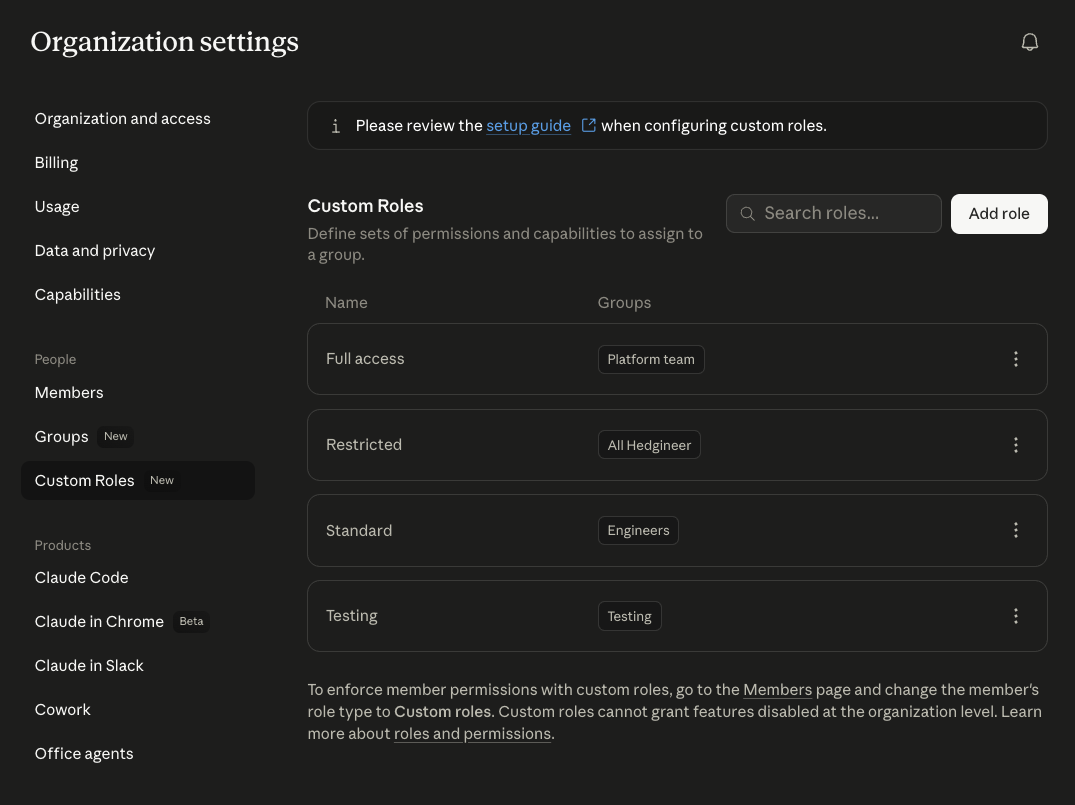
Before turning Claude Security on for everyone, decide who actually needs it. Claude Desktop, the surface every person in our org opens every morning, supports group- and role-based access control.
Admins create groups and custom roles in the Claude Desktop Admin console and bind capabilities to each role.
Inside any role, individual capabilities can be toggled on or off. Claude Security is one of them, so granting it is a single-checkbox decision per role.
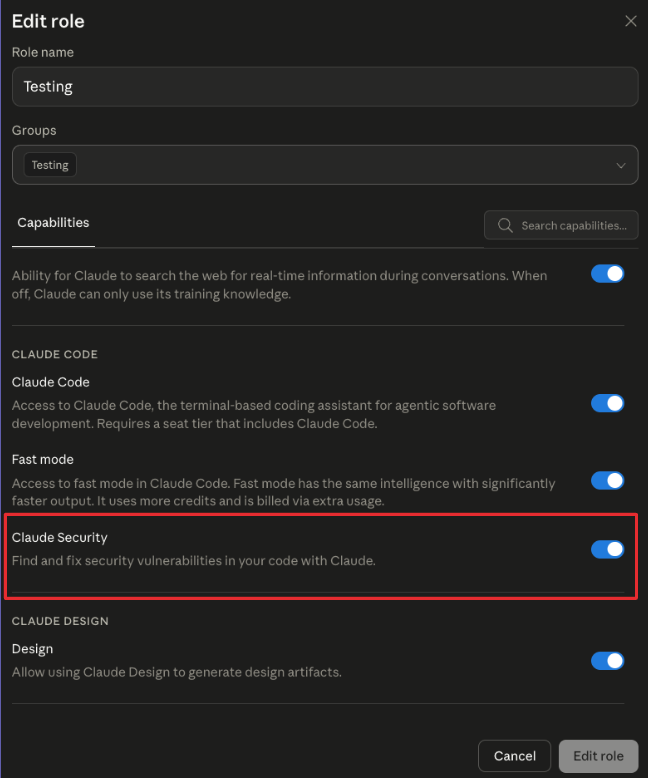
This matters because security findings are sensitive output, beta capabilities are best rolled out by ring, and roles are the unit of audit when someone asks later "who saw what".
The setup
Claude Security is currently available on Claude Enterprise. The first time an admin enables it from the admin console, the product surfaces at claude.ai/security.
The product integrates directly with GitHub. Starting a new scan opens a short form with five fields:
- Repository. Dropdown wired to your connected GitHub org.
- Branch. The branch to scan.
- Scan scope. Optional. Leave it blank and the scan runs over the entire repository, or type a directory path (for example services/api/ or frontend/) to focus the scan on a specific section of the codebase. Useful on large repos where you want to scope a run to a single subtree.
- Model. Currently fixed to Claude Opus 4.7.
- Effort. Two settings, Standard and Extended. Standard is the default for routine scans. Extended runs the scan with a larger reasoning budget for cases where you want the model to dig harder.
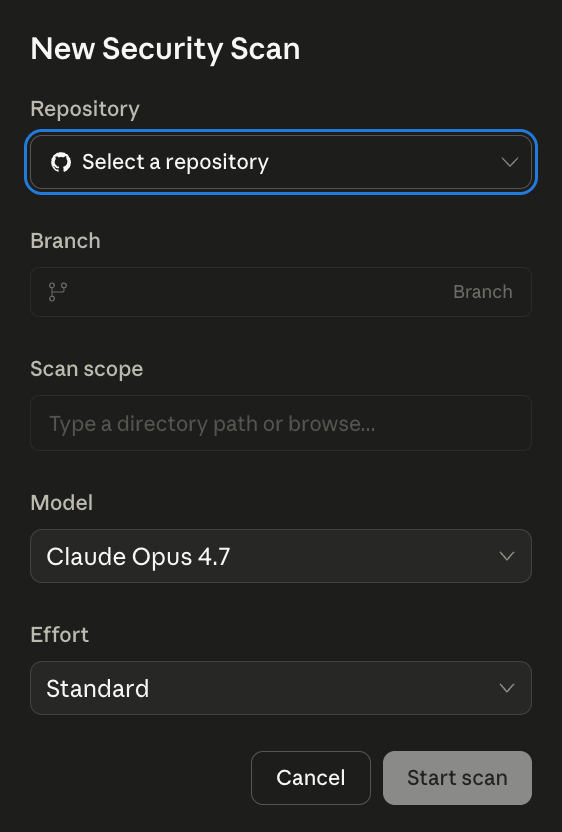
That is the entire setup. There is no agent to install, no SARIF format to plumb through, no CI integration to wire up before you can see results.
The CI distinction is worth flagging on its own. Claude Security lives as a separate product, distinct from Claude Code, which already has its own surfaces for reviewing a codebase:
- /ultrareview Ad-hoc multi-agent reviews of a branch or a PR, run from the terminal.
- Code Review Wired directly into CI on pull requests.
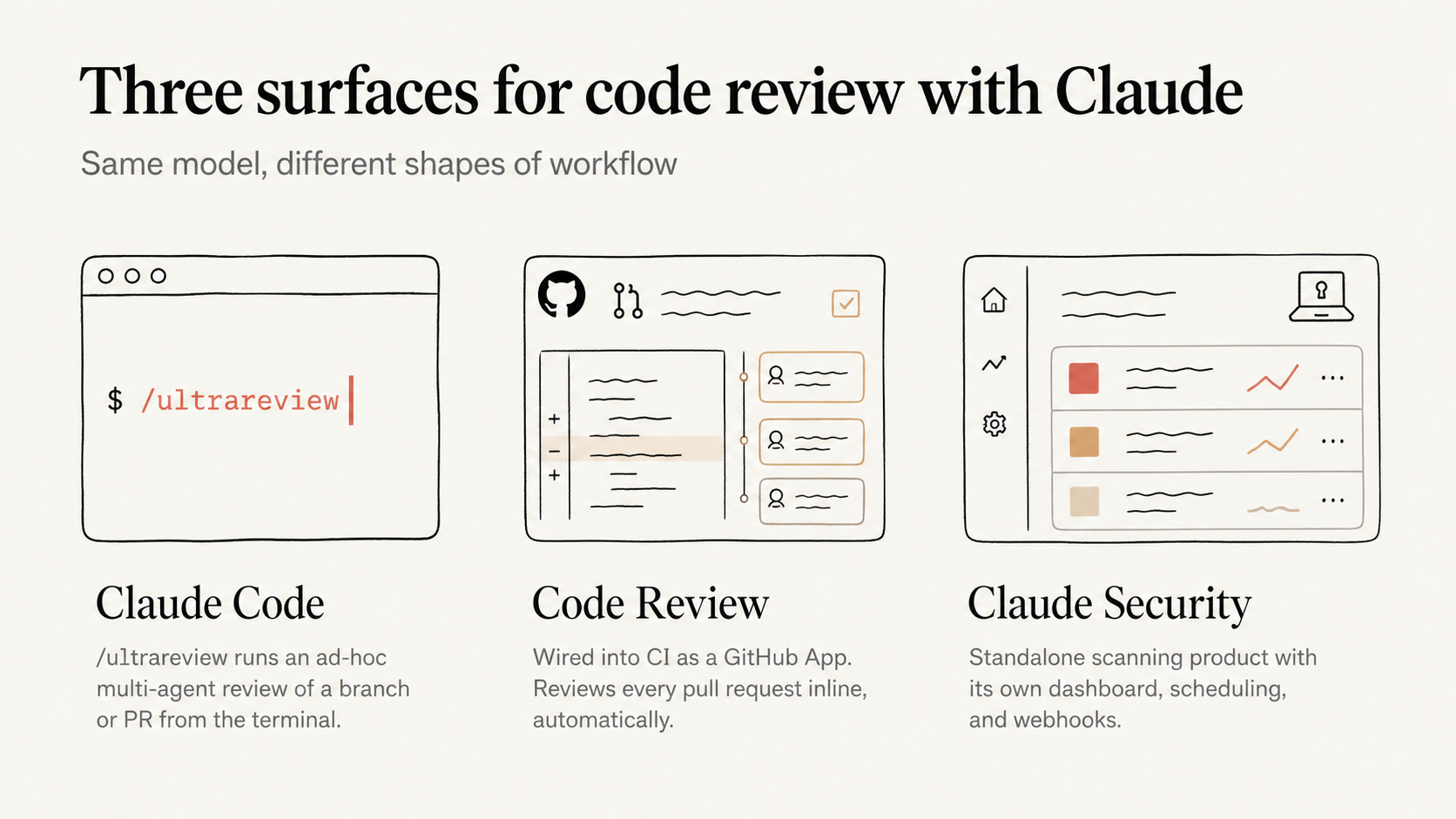
Those run alongside the developer's normal flow, and we already lean on both inside our day-to-day development cycle. Claude Security runs on its own line, with its own dashboard, its own scheduling, and its own webhooks. The two complement each other but they are not the same surface.
How the scan works
Click Start scan and the dashboard switches to a live view of progress.
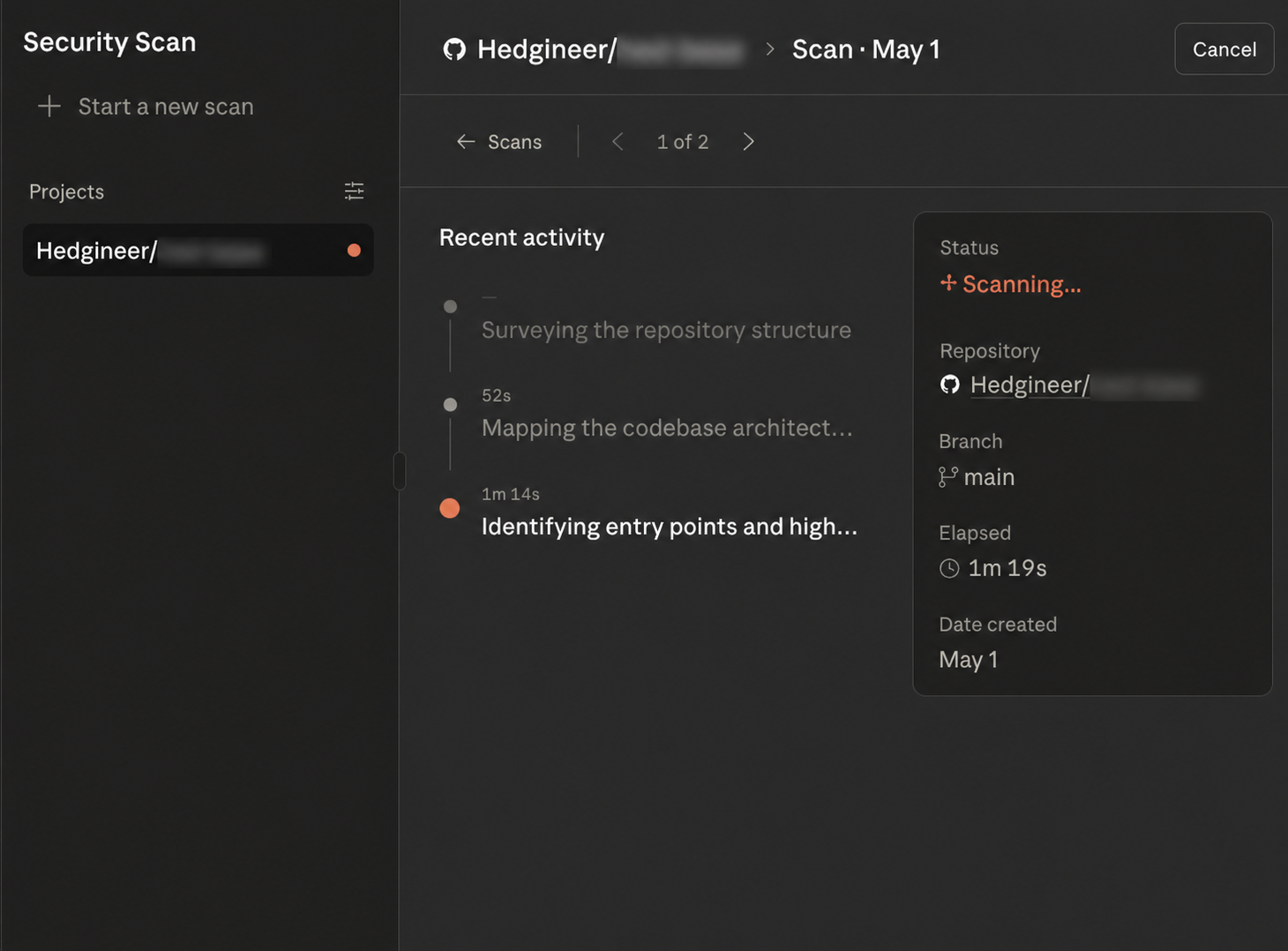
The interesting part of running this on a non-trivial repo is that the scan exposes its own reasoning trace as it goes. It is not pattern matching against a CVE catalog and emitting a list of greps.
It builds a dependency graph of the repository, surveys the entry points, picks the surfaces it considers worth investigating, and then spawns specialized sub-researchers to dig into each one in parallel.
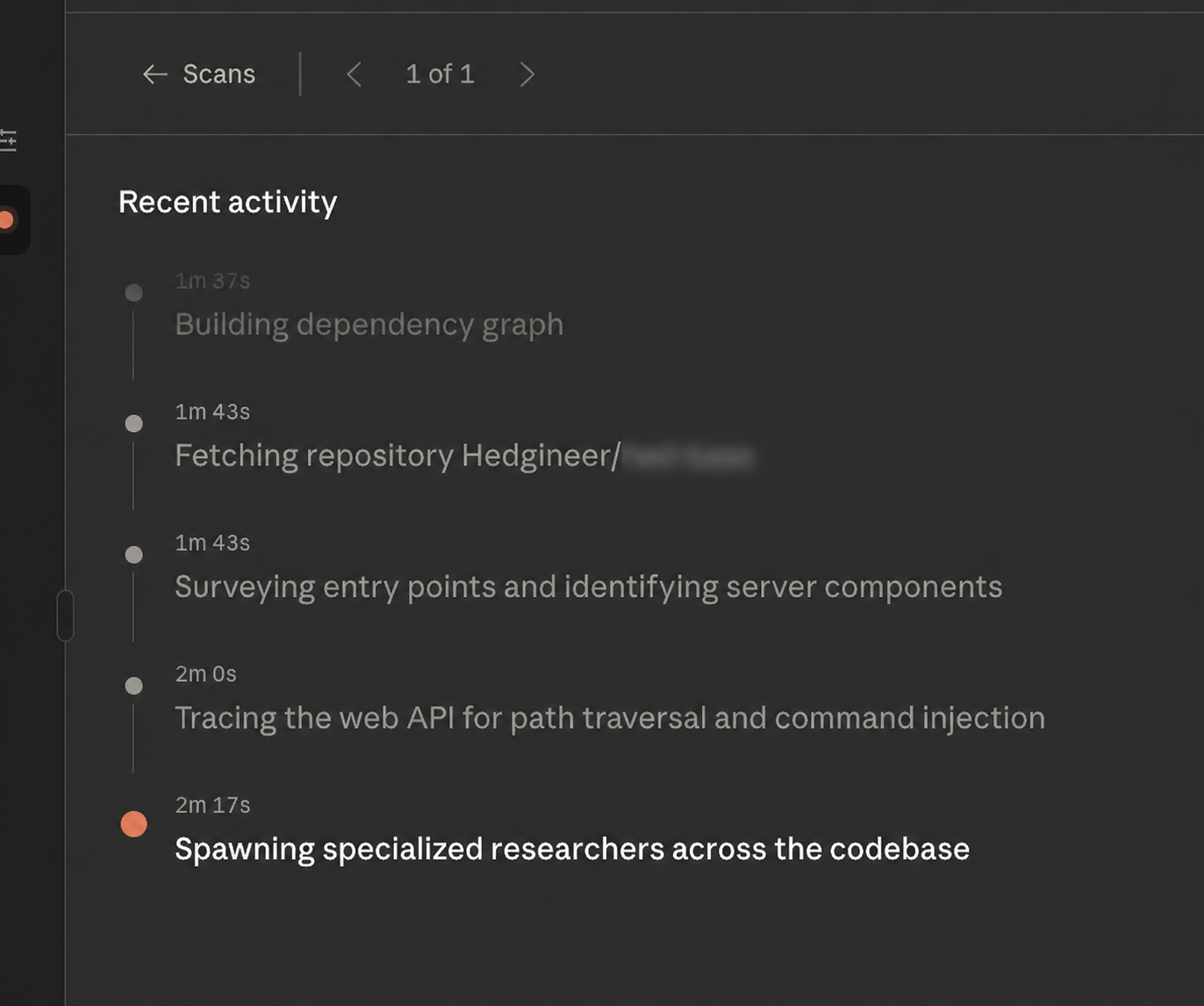
Watching that log in real time made the product feel less like a linter and more like an engineer who reads our code, decides what's most likely to bite us, and goes hunting. The scan is shaped by what the repo actually contains, not by a fixed checklist.
What the scan produces
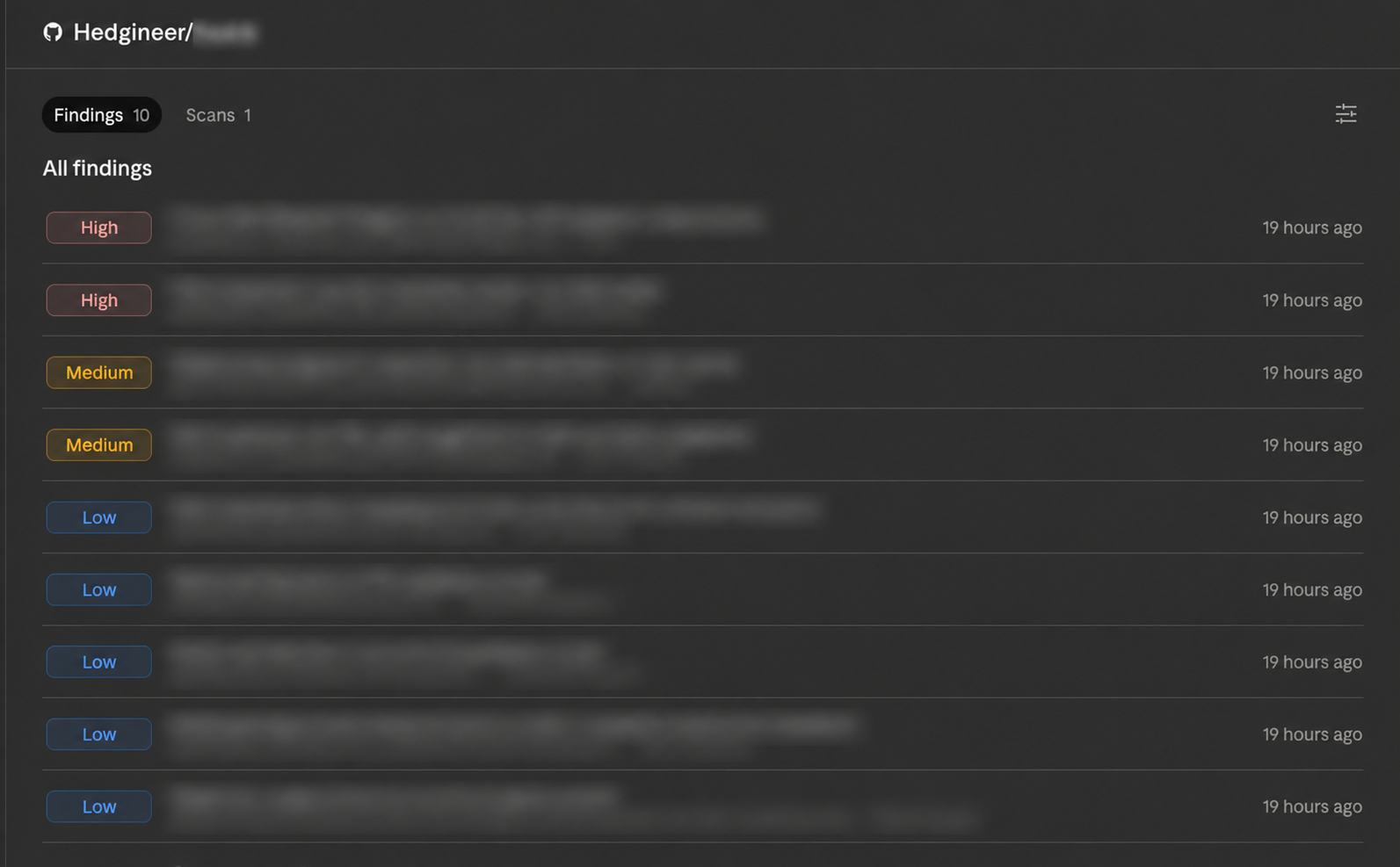
When the scan finishes, the result is an inbox of findings, ordered and tagged by severity: High, Medium, and Low. Each row carries the title of the finding, the location, the vulnerability category, and a timestamp.
Clicking into a finding opens a detail view organized in five sections:
- Details. A full description of the vulnerability, with the data flow Claude traced to identify it.
- Location. File path and line number where the issue lives.
- Impact. What an attacker (or a misbehaving caller) can do with the vulnerability.
- Reproduction steps. A walk-through of how to trigger it on the real code path.
- Recommended fix. The remediation Claude proposes, often phrased as a concrete code change.
Below the body, each finding carries metadata: severity, status, category, repository, branch, date created, and a confidence rating the model assigns to its own conclusion.
We pulled the full export of findings from our first scan and looked at how they distributed. What is more interesting than the count of any single bucket is the shape of where the model concentrated its reasoning.
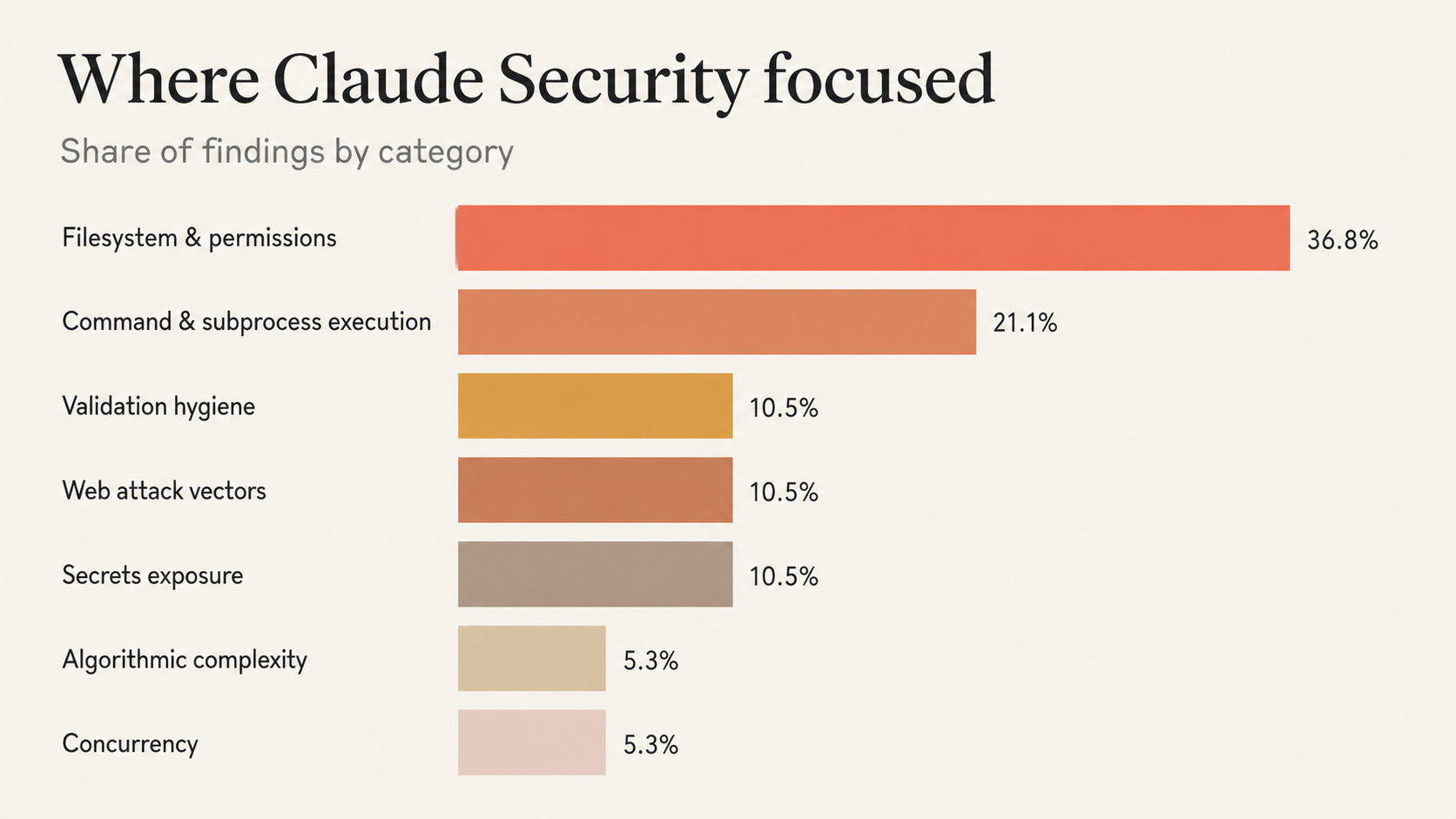
Four themes stand out from that distribution.
Untrusted input meeting the filesystem. The biggest slice. Path traversal, symlink dereferencing, and file-permission issues, all the same pattern: user-controlled input reaching a path operation without canonicalization.
Untrusted input meeting subprocess or shell. The second cluster. Caller-supplied identifiers ending up in argv, in eval'd command strings, or in python -c literals, where shell metacharacters or stray flags change what gets executed.
Dev tooling and CI scripts treated as in-scope. Findings in the local dev server and the CI validation suite. Most pattern-matching scanners skip these as "not production code". Claude Security did not.
Secrets handling discipline. Credentials in DEBUG logs, files written with permissive modes, secrets retained in process caches. Not catastrophic individually, but exactly the signals you want before they compound.
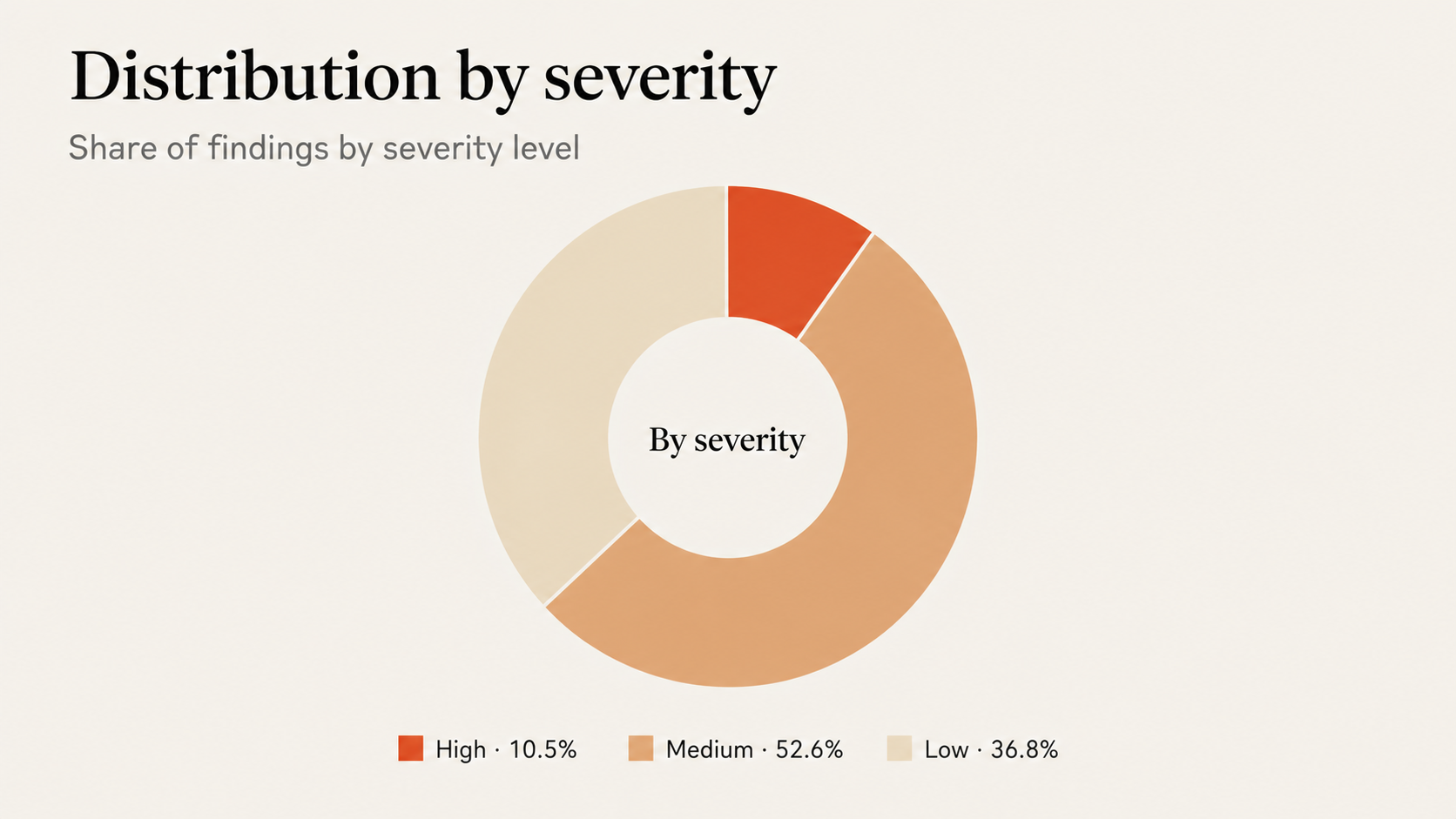
The throughline is the same across all four. The model is hunting for places where input crosses a trust boundary into a privileged action, then following the data flow until something either checks the input or it doesn't.
Several of the Medium-severity findings and the High-severity ones were not single-line bugs at all. They were multi-step chains, where the vulnerability emerged from how two or three functions interacted, not from any one of them in isolation. That is the part of the product a grep-based linter cannot replicate, and the part that justifies the "agentic researcher" framing.
Triage or fix in one click
Each finding has two primary actions sitting at the top of its detail view: Triage and Create fix.
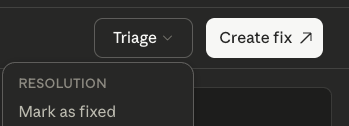
Triage is a dropdown that lets you classify a finding without writing any code. The options are:
- Resolution. The finding has been (or will be) fixed.
- Not applicable. The issue does not actually affect this codebase, with a documented reason.
- Handle elsewhere. The issue is real but ownership lives in another repo, team, or system.
- Acknowledged. Accepted risk, documented and moved on.
The triage decision sticks to the finding and carries forward across integrations like Slack, Jira, and CSV exports, so the rest of the security workflow inherits the call instead of re-litigating it.
Create fix is the more interesting one. It hands the finding off to Claude Code on Web, which opens a session preloaded with the full finding context: the file, the surrounding code, the impact statement, the reproduction steps.
Claude drafts the fix in that session and ends the loop the way it should end, with a pull request back to the repo, the change applied, and the finding linked. Once the session exists, the button relabels to Open session on subsequent visits, so you can jump back into the same Claude Code Web context to keep iterating.
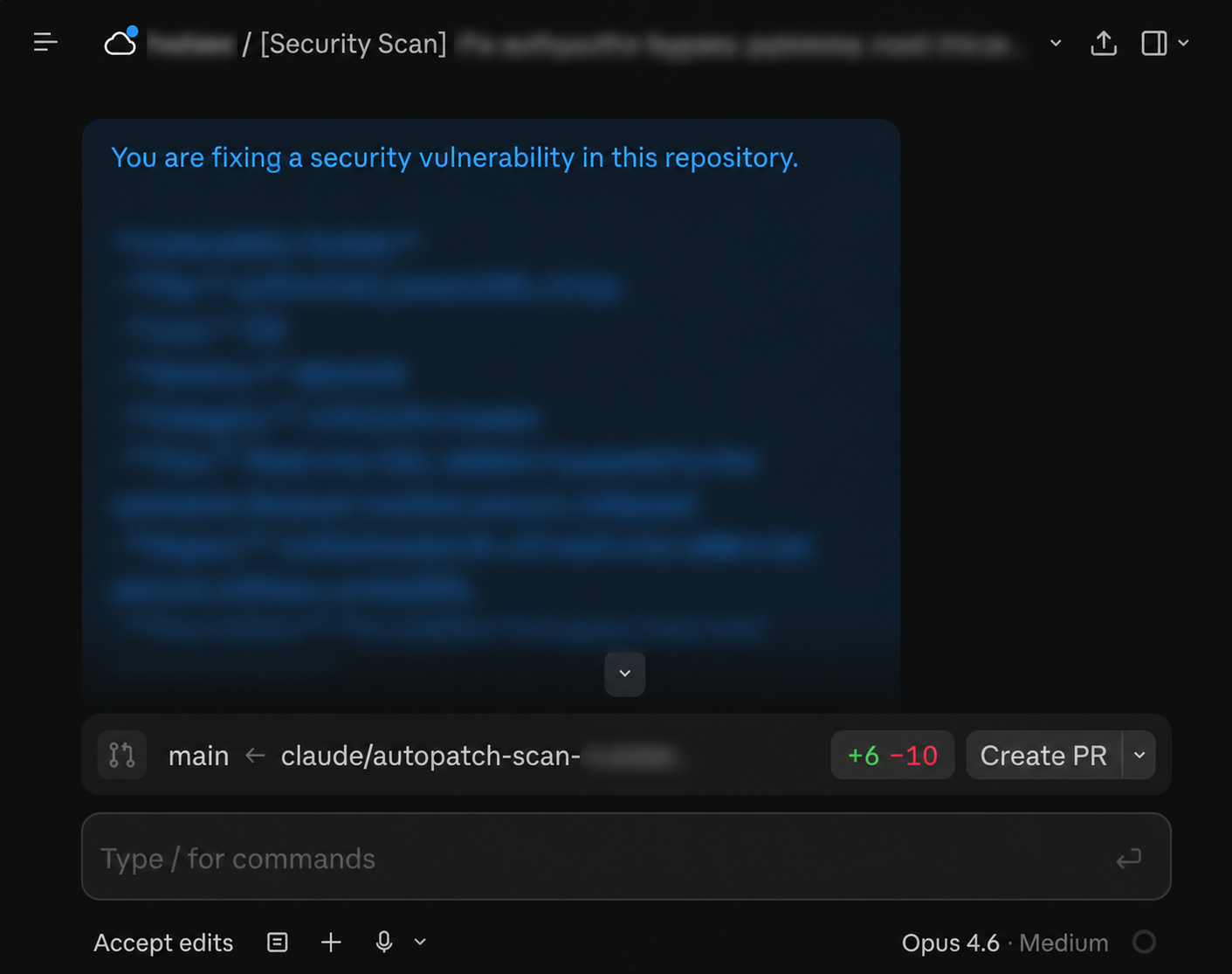
That is the part of the product that changes the shape of the workflow. Most security tools produce an inbox and the developer is then on the hook for translating it into code changes, repo by repo. Here, the inbox and the patch live on the same surface.
Putting it on autopilot
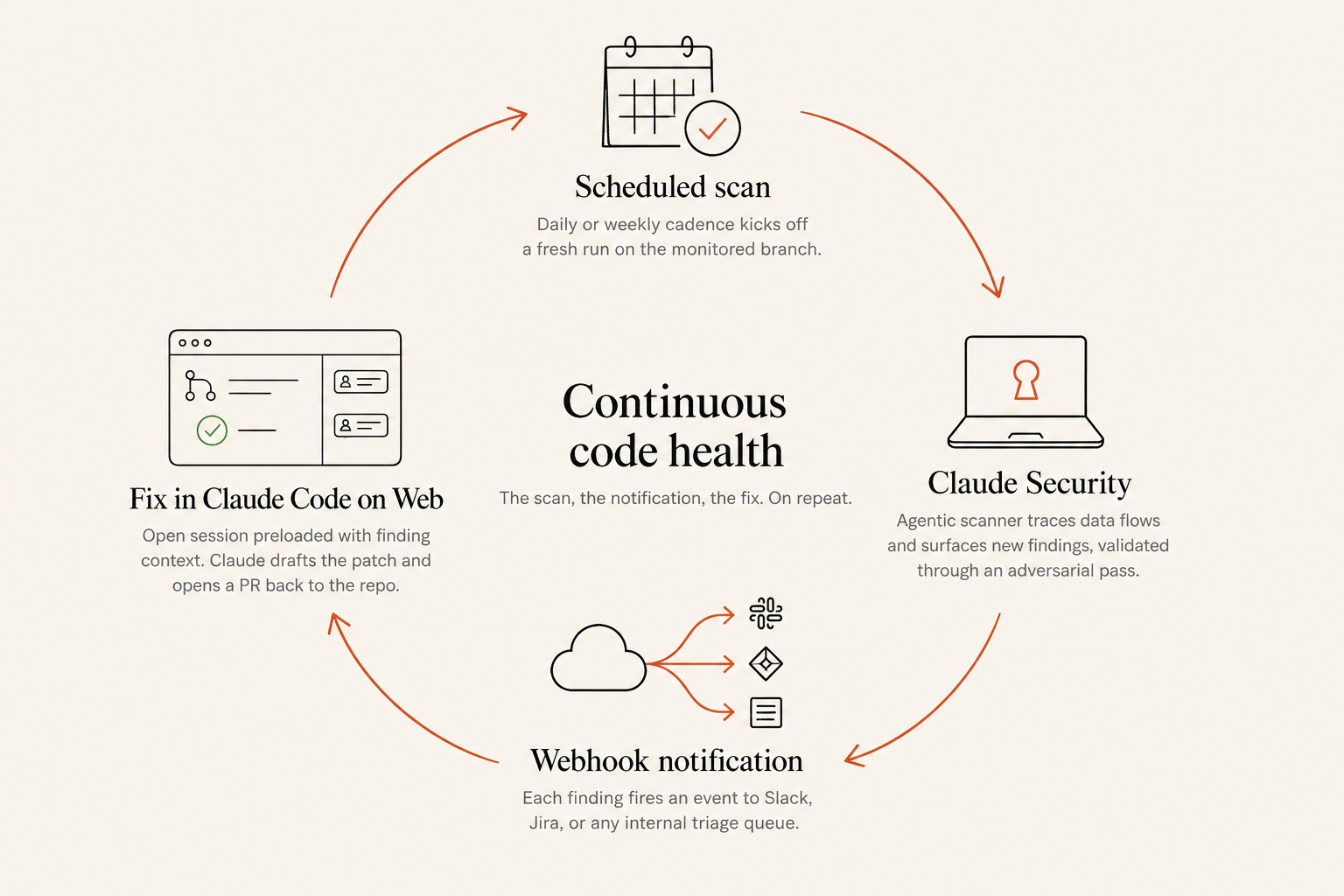
A first scan is a one-time exercise. The features that turn it into a system are the schedule, the webhook, and the Create fix action on every finding.
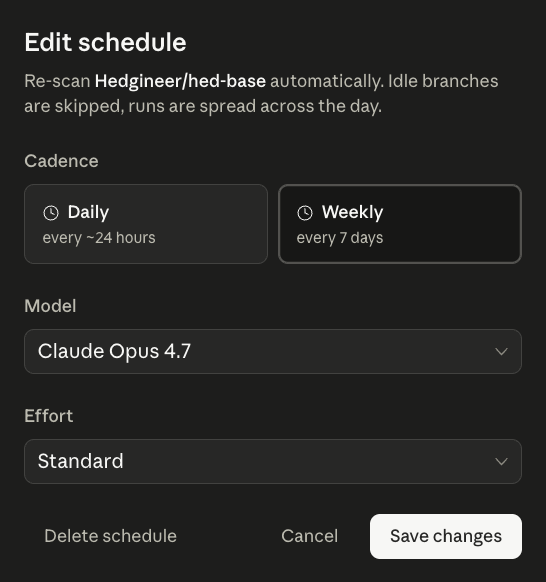
From the project view you can put the scan on a daily or weekly cadence. Idle branches are skipped, runs are spread across the day, and the dashboard updates without anyone clicking anything.
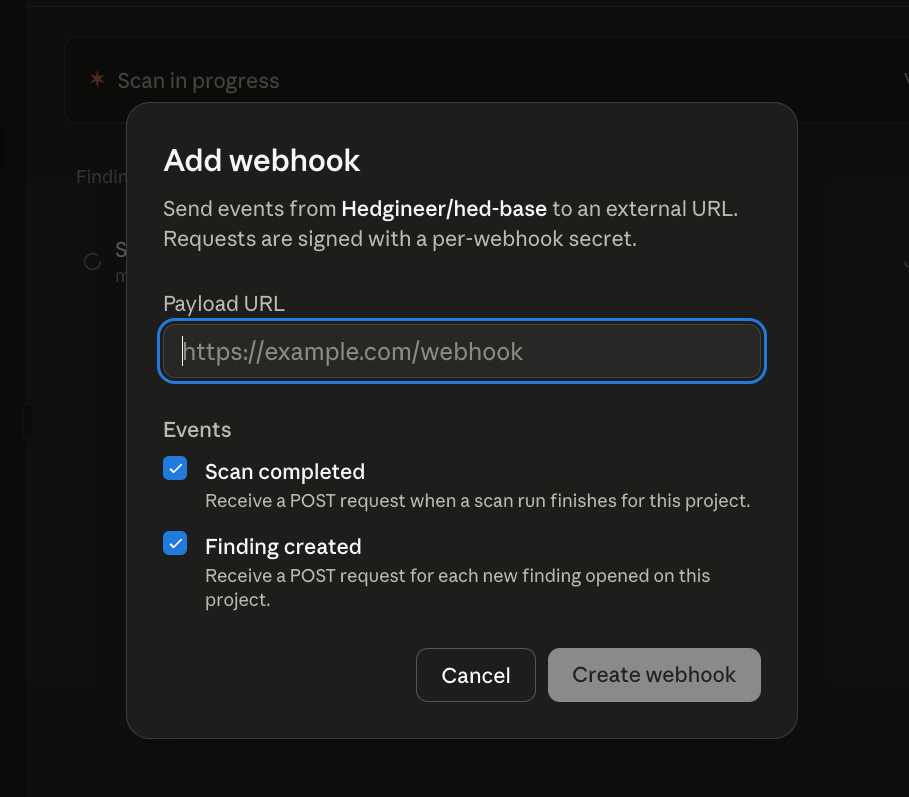
The webhook carries the signal outward. Register a payload URL on the project and pick the events you care about. Two are available: Scan completed and Finding created.
The lowest-friction consumer for the webhook is Slack. Point the URL at a Slack channel and every new finding lands as a notification with the severity, category, and a link back to the finding's detail view.
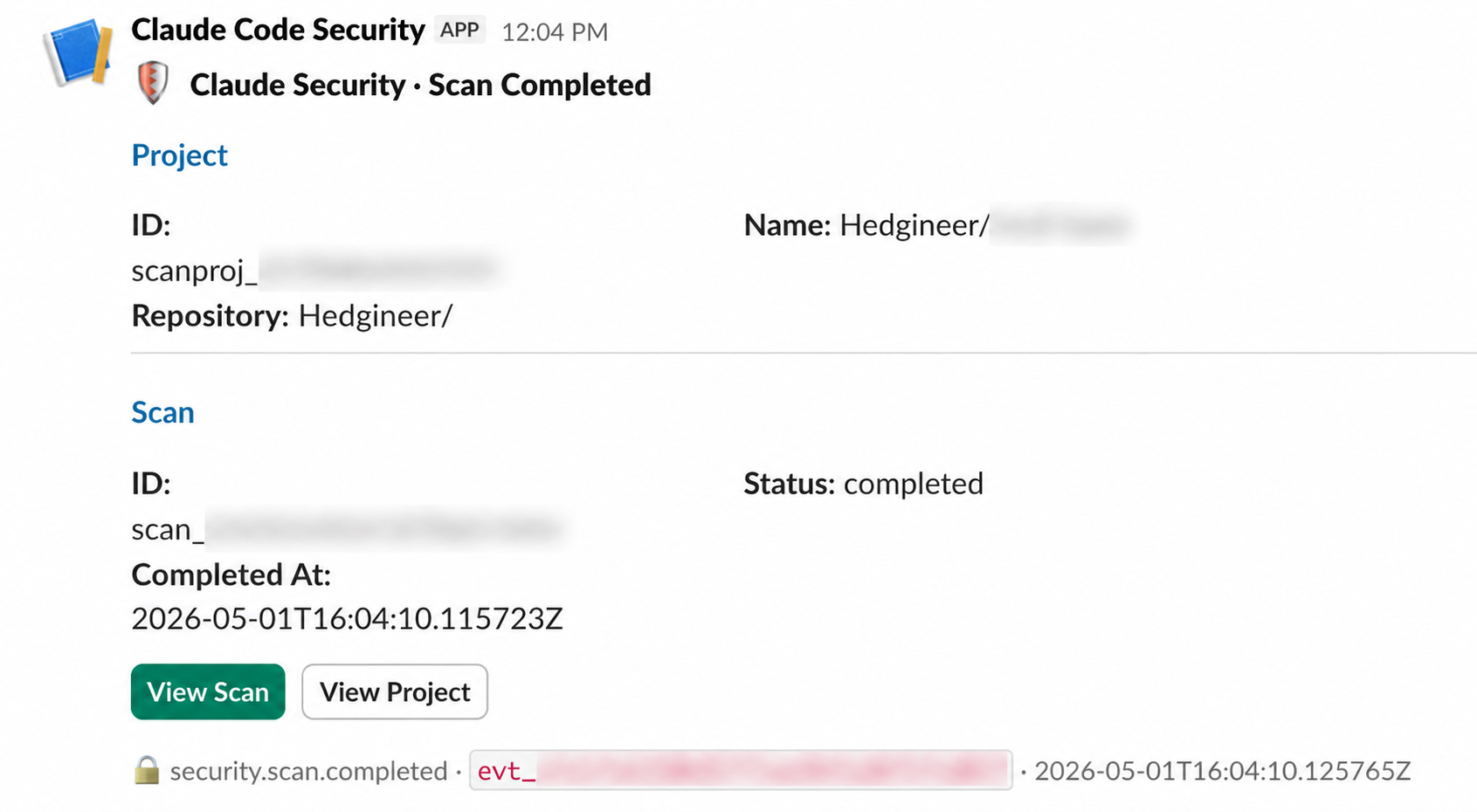
For the engineers and security reviewers on the team, Slack is the surface they already live in. They do not need to remember to check the dashboard; the dashboard reaches them.
The end-to-end flow:
- The schedule fires a scan on the monitored branch.
- The agentic scanner runs to completion.
- Each new finding posts a Finding created webhook to the configured URL.
- A downstream consumer (Slack, Jira, an internal triage queue) routes it to the right person.
- The reviewer clicks Create fix, Claude drafts the patch, a PR is opened back to the repo.
- The next scheduled scan picks up where this one left off.
Combined with the CSV and Markdown export surface, the same loop also feeds audit and reporting pipelines on whatever cadence those run.
A note on public beta status
Claude Security is, at the time of writing, in public beta. That status matters in a few practical ways: the product is generally available to Claude Enterprise customers right now; the feature surface, including scoped scans, scheduling, webhooks, and integrations with downstream security tools, is still expanding; and pricing and quotas are being tuned in the open as more orgs run real workloads through it. None of that took anything away from the experience we describe above, but it is worth flagging if you're deciding whether to wait or to pilot now.
If you want the full product walkthrough straight from the team that built it, this is the announcement video:
Closing the loop
Claude Security is, on day one of public beta, a credible piece of the security stack. It is not a replacement for the rest of it, but a high-signal addition that thinks about code the way a good engineer would. Our first run made the case quickly: a real set of findings, surfaced with enough context to act on, and webhooks that let the scan participate in the rest of our platform automation instead of being a side console.
If you're rolling out Claude across an organization and want to compare notes on how to thread this kind of scanning into the loop, reach out.